For app teams · iOS and Android
One app, two platforms, every state drawn.
Recast designs iOS and Android apps on subscription: $3,900 a month for unlimited tasks with five worked at once and first concepts in 48 hours. Each flow is drawn with the platform's own patterns, with every state and the store screens, and handed to your React Native, Flutter or native developers as Figma with components, tokens and spec frames. The plan's included build hours cover web front ends, not native app development.
Checked · by Daniel Makhamreh, lead designer at Recast
- Price
- $3,900 a month, billed monthly. No annual contract, no tiers.
- Platforms
- iOS and Android, each with its own navigation, controls and sizes.
- Handoff
- Figma with components, tokens and spec frames for React Native, Flutter, Swift or Kotlin developers.
- Build
- Included build hours are for web front ends (React, Next.js, Webflow, Framer), not native apps.
- Languages
- English and Arabic on the same flow, right-to-left designed natively.
- Speed
- First concepts in 48 hours, seven days a week.
- Try it
- $490 one-week pilot, up to three tasks, credited against month one.
Two platforms
What is different about designing for iOS and for Android?
The flow is the same; the conventions are not. Each platform has its own navigation, controls and sizes, published by Apple in the Human Interface Guidelines and by Google in Material Design, and an app that ignores them feels ported.
One Figma file holds both: shared screens drawn once, and separate frames where the platforms differ.
Touch targets
Apple's default control size on iPhone is 44 by 44 points. Android's accessibility guidance asks for at least 48 by 48 dp. Buttons and list rows are sized for each.
Type
Apple's default text size on iPhone is 17 points, with 11 as the minimum, and both platforms let people enlarge text. Layouts are drawn to grow.
Navigation
Back, tabs and sheets follow the platform, so the app behaves like the others on the phone.
Right-to-left
In Arabic the back button points right and progress runs right to left, while the digits of a number keep their order.
The states
Which states does an app flow need before it goes to developers?
Every one a user can reach, because on a phone the unusual states are common: the signal drops, a permission is refused, the session expires in a lift.
A flow is ready for developers when these are drawn, not described.
Loading and offline
What shows while data arrives, what is kept from last time, and what the screen says with no connection.
Empty
The first-run screen with nothing in it, and what it asks the user to do.
Errors
Failed payment, failed upload, expired session, each with a way forward.
Permissions
The screen before the system prompt for notifications, location or camera, and the app with each one refused.
Leaving
Sign-out and account deletion. Apple requires apps that support account creation to let people start deleting their account inside the app.
The flows
How do you design ordering, booking and loyalty flows?
As two products at once: the app the customer holds and the tool the staff run it from. Most of our published app work is in these three flows.
Ordering
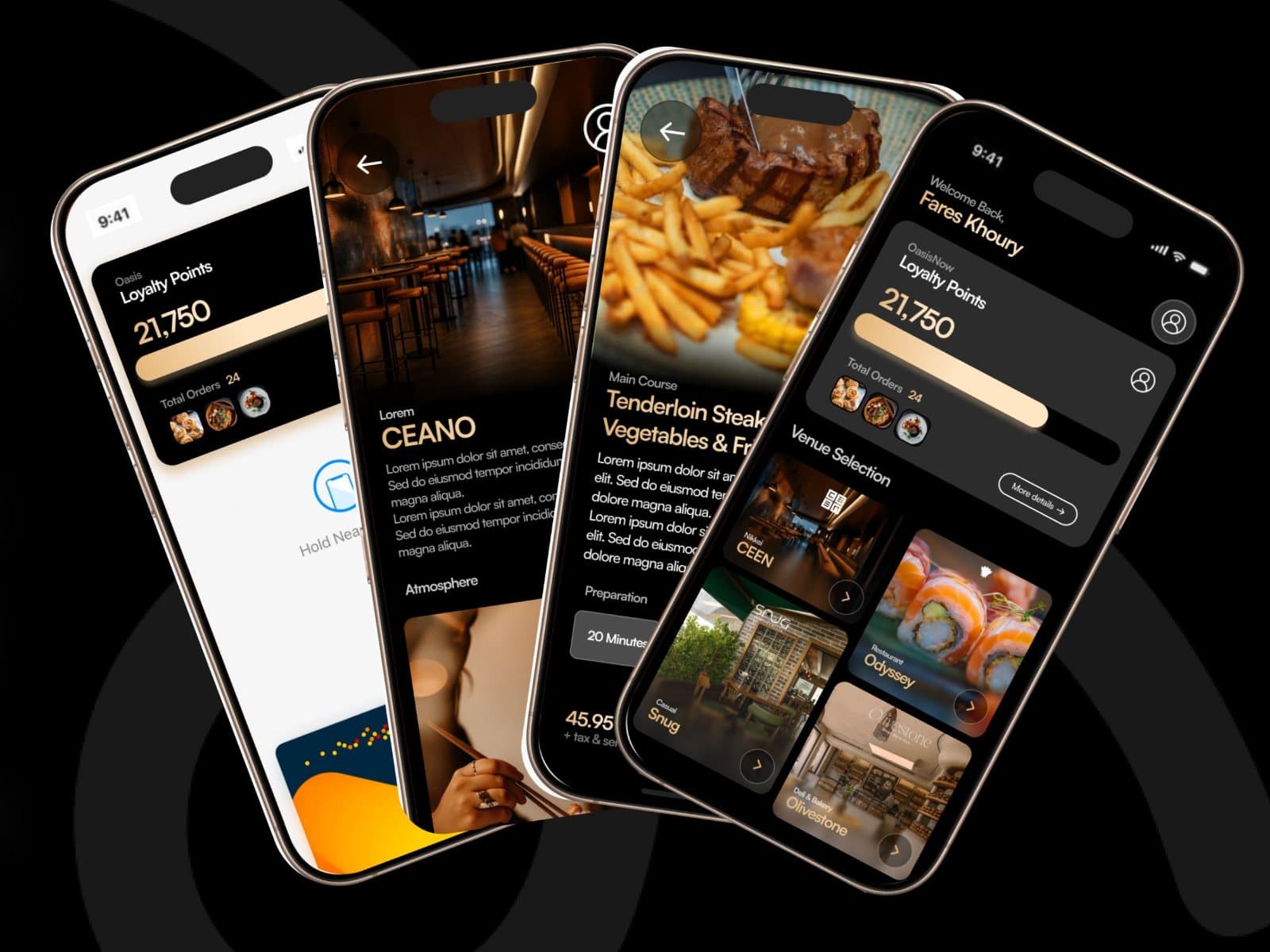
Menus with modifiers and add-ons, eat-in or pick-up, payment and order tracking, as in the Universal Restaurant app, and one app across several venues for Oasis Hospitality Group.
Booking
A date, a capacity and something to spend: nights and room types at Sol Pet Resort, credits and QR check-in at Squibbly.
Loyalty
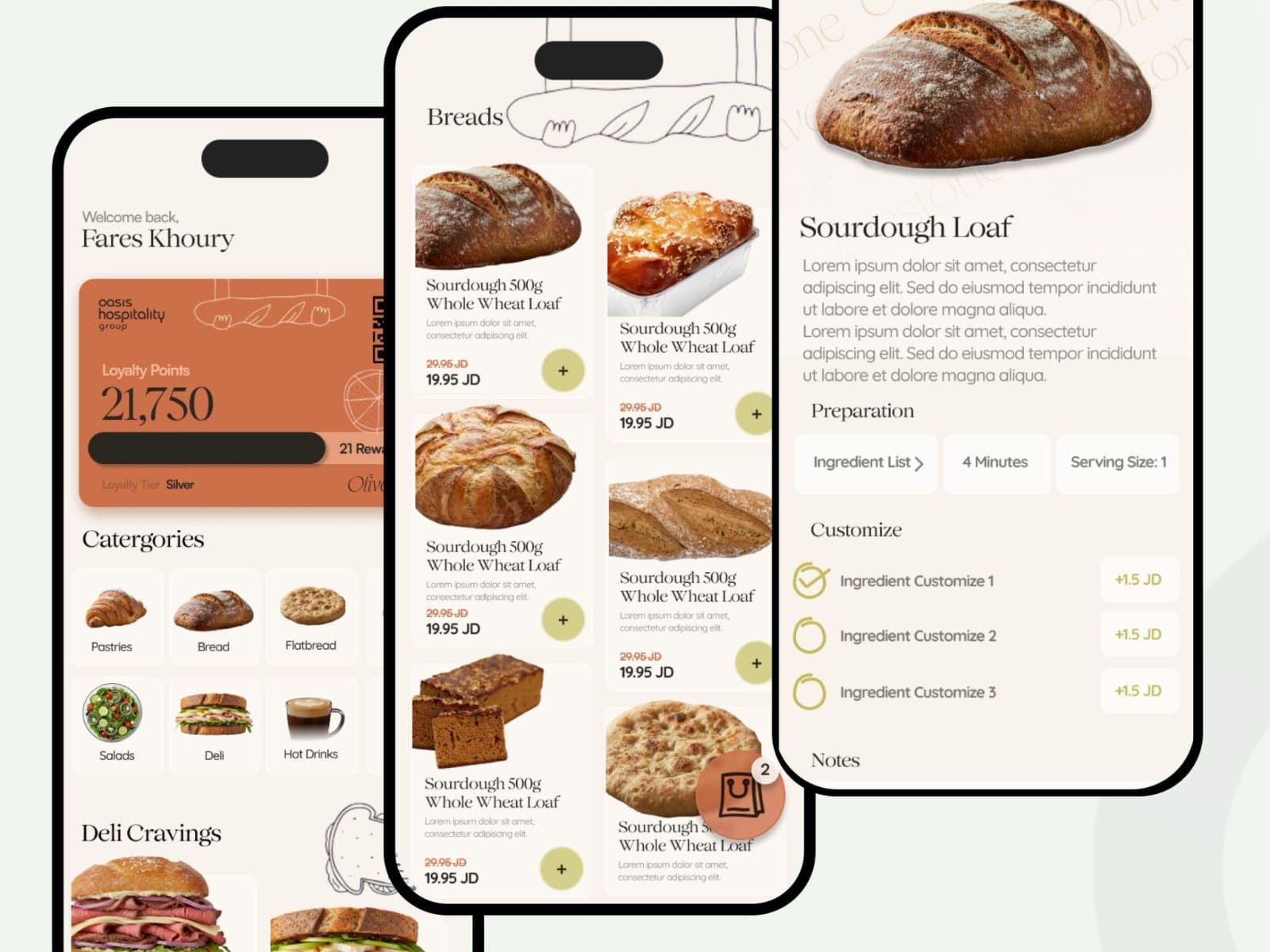
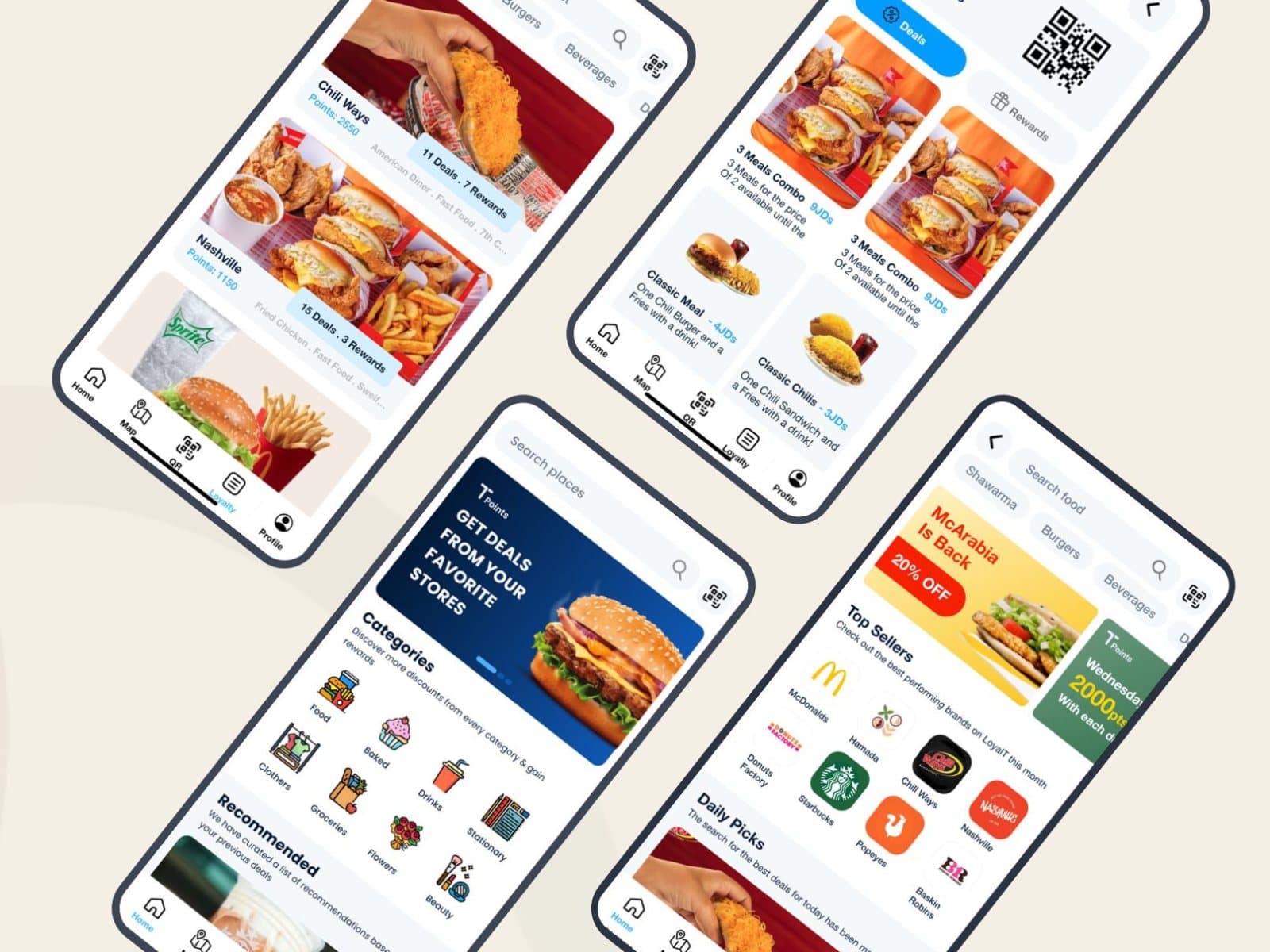
Points that are simple to earn and obvious to redeem: QR redemption per brand in LoyalT, a phone number on the in-store tablet at Olivestone.
The other side
A vendor dashboard for live orders and menu changes, a scanner at the door, a floor map for staff. The customer's flow only works if this one does.
The stores
What do the App Store and Google Play need from design?
A set of screenshots and graphics for each store, made to that store's specification. They are the first screens most people see of the app, so they are designed frames with a headline, not raw captures.
| What is compared | App Store | Google Play |
|---|---|---|
| Screenshots | At least one and up to ten per device size | At least two, and up to eight per device type |
| Sizes | A set for the medium iPhone display with Dynamic Island is required, for example 1179 by 2556 pixels | Each side between 320 and 3,840 pixels, the long side no more than twice the short |
| Also needed | A 13-inch iPad set, 2064 by 2752 or 2048 by 2732 pixels, if the app runs on iPad | A 512-pixel icon and a 1,024 by 500 pixel feature graphic |
Screenshots
- App Store
- At least one and up to ten per device size
- Google Play
- At least two, and up to eight per device type
Sizes
- App Store
- A set for the medium iPhone display with Dynamic Island is required, for example 1179 by 2556 pixels
- Google Play
- Each side between 320 and 3,840 pixels, the long side no more than twice the short
Also needed
- App Store
- A 13-inch iPad set, 2064 by 2752 or 2048 by 2732 pixels, if the app runs on iPad
- Google Play
- A 512-pixel icon and a 1,024 by 500 pixel feature graphic
As published by Apple and Google on the date in the sources. Both change their specifications; check before you export.
The handoff
How does the handoff to React Native, Flutter or native developers work?
Your developers get one Figma file with components, tokens and spec frames, whatever they build in. The plan's included build hours are for web front ends in React, Next.js, Webflow or Framer; they do not cover building the native app.
Three of our published case studies are Flutter apps: LoyalT, Universal Restaurant and the Sol Pet Resort booking app. The file is organised the same way for each framework.
Tokens
Colour, type and spacing named once, so they become a theme in Flutter, React Native or SwiftUI, not values copied by hand.
Components with their states
Each control drawn pressed, disabled, loading and in error, on both platforms where they differ.
Spec frames
Beside each screen: gestures, transitions, keyboard behaviour and what happens at the end of a list.
The web side
Vendor dashboards, admin tools and the marketing site are web front ends, and those the same team can build.
Questions
Asked before the call.
Do you build native iOS and Android apps?
- Not within the plan. The included build hours are for web front ends in React, Next.js, Webflow or Framer. For the app itself we deliver Figma with components, tokens and spec frames to your React Native, Flutter, Swift or Kotlin developers.
Do you design iOS and Android separately?
- One flow and one file, with separate frames where the platforms differ: navigation, controls, touch target sizes and system sheets. Shared screens are drawn once.
Our app is built in Flutter. Does that change the handoff?
- No. The tokens become the app's theme and the components map to widgets. LoyalT, Universal Restaurant and the Sol Pet Resort app, in our case studies, are all Flutter apps.
Can the Arabic version of the app be designed at the same time?
- Yes. English and Arabic are designed on the same flow, and the Arabic is drawn right-to-left natively, not mirrored: navigation and progress flip, while clocks, media controls and the digits inside a number do not.
Do you design the App Store and Google Play screenshots?
- Yes, as a task. The App Store takes up to ten screenshots per device size and Google Play up to eight per device type, plus a feature graphic, and each set is designed to those specifications.
Can you redesign an app that is already live?
- Yes. File the flows as tasks in the order that matters to you; five are worked at once. A redesign is delivered flow by flow, so your developers can ship it in stages.
Do you design the staff side of an app, such as a vendor dashboard or an in-store tablet?
- Yes. The Oasis Hospitality and Olivestone projects each include a vendor dashboard for orders and the menu, and Olivestone has an in-store tablet where regulars earn points with their phone number.
Sources
- Apple Human Interface Guidelines: Accessibility (control and text sizes), read
- Apple Human Interface Guidelines: Right to left, read
- Android Accessibility Help: touch target size, read
- Apple: screenshot specifications for App Store Connect, read
- Google Play Console Help: preview assets for a store listing, read
- Apple: offering account deletion in your app, read
Other companies change their prices and terms. If something here is out of date, write to hello@recastux.com and we correct it.
Twenty minutes. Your product on the screen.
The pilot call is with the lead designer who would run your work. Show the screens that bother you most, pick up to 3 tasks for a one-week pilot, and leave knowing the price and the scope. The call is free; the pilot is $490 once, credited against your first month.